

A Vital City demonstration of how a phone’s camera could turn more New Yorkers into streetlight inspectors
This proof-of-concept tool is part of Rubber Meets Road: Lighting, a Vital City–Center for Justice Innovation series on lighting New York's streets to make them safer. The series also includes a summary of the Rubber Meets Road project, a summary overview of the problem and solutions, a detailed policy primer, Aaron Chalfin on 50 years of research, a design deep-dive, and maps overlaying crime with satellite-measured darkness and 311 outage complaints.
What’s the lighting like on your block at night? Are the streetlights dim or out? Most New Yorkers have no easy way to tell — and the City has no easy way to know either, beyond complaints filed through 311. To show what’s possible, Vital City built a working proof of concept: a browser-based tool that uses your phone’s camera as a light meter, geotags the reading, and walks you through reporting outages to 311. The full tool, including the underlying code, is freely available so the City can adapt it — ideally as a feature inside the official NYC 311 app, or as a standalone municipal release. Below is how the demonstration works today.
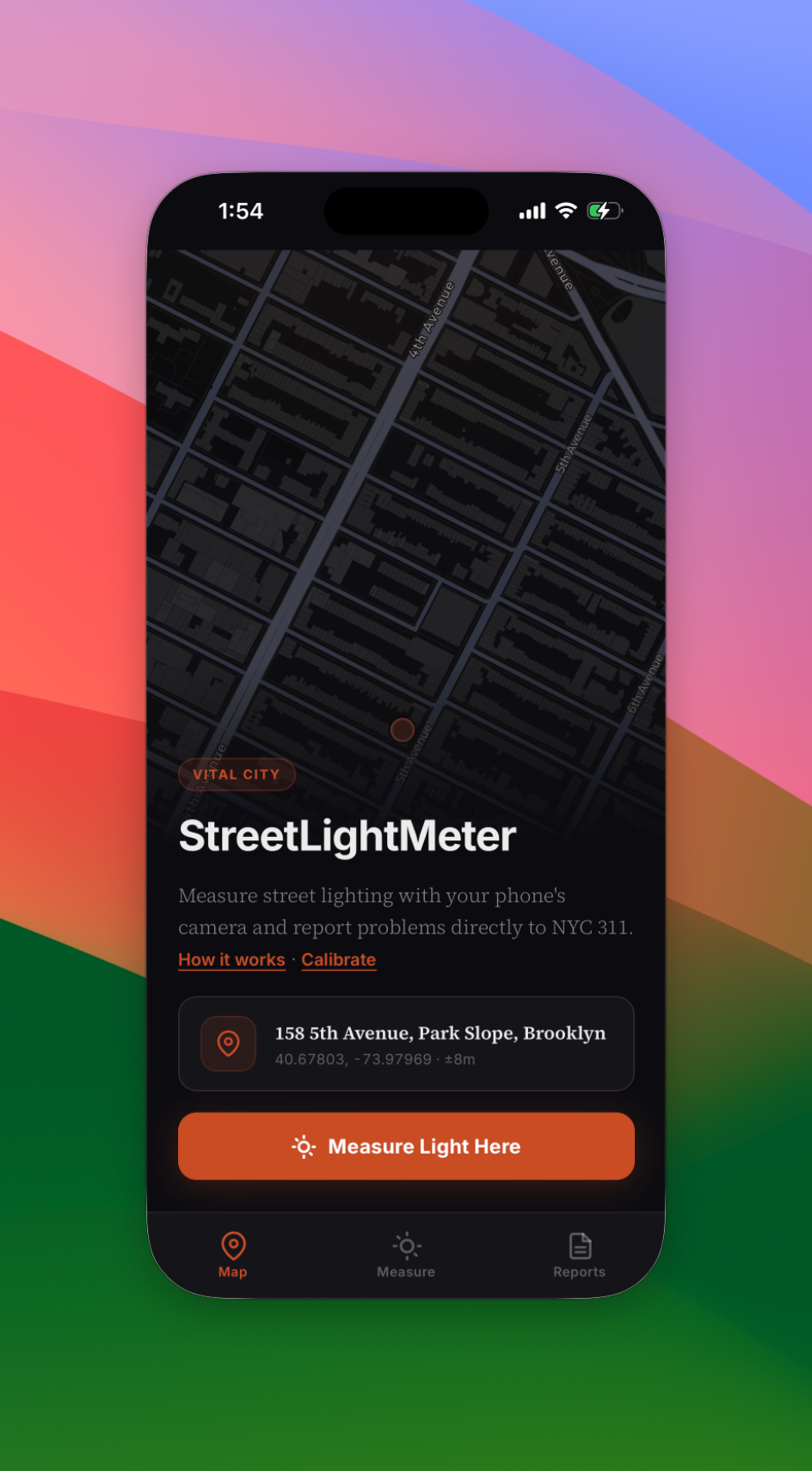
Get set up (30 seconds)
1. On your phone, open https://vitalcity-nyc.github.io/streetlightmeter/ in Safari (iPhone) or Chrome (Android).
2. Add it to your home screen so it opens like a regular app: on iPhone, tap the Share icon and choose "Add to Home Screen"; on Android, tap the three-dot menu and choose "Add to Home screen."
3. That's it — no app store, no account, no download.
Take a reading
1. Head outside at night to the spot you want to measure.
2. Open StreetLightMeter and tap "Measure light here." Grant camera access when prompted.
3. Hold your phone at chest height, rear camera pointing straight ahead (not up at the light).
4. Tap the capture button and hold still for about two seconds.
5. You'll get a reading in lux and a plain-language rating: dark, dim, or adequate.
The camera image is analyzed on your phone and never uploaded.
Report it to 311
If the reading shows a problem, the app walks you through filing a report:
1. Pick the issue type (for example, "Street light out" or "Insufficient lighting").
2. Optional but helpful: enter the pole number (stamped near eye level on the pole) and attach a photo.
3. Choose how to file: online via the NYC 311 street light form, by phone, or by text to 311-692.
4. Save the service request number the city gives you so you can track the repair.
Your reading is also added to a shared map, so neighbors can see which blocks have been measured.
Tips
● Take readings mid-block and directly under the pole for comparison.
● Measure on a clear night; rain and fog will skew results.
● If a whole stretch reads "dim," file one report per pole — the city dispatches crews by pole number.
From proof of concept to city tool
This is a demonstration, not a finished product. Vital City built it to show that the technology already exists to give New Yorkers — and the agencies that serve them — better information about street lighting at almost no cost. The natural next step is for the City to take it the rest of the way. Two paths look promising:
● Build it into the NYC 311 app. The agency already collects streetlight complaints; a one-tap light meter would shorten the path from “something’s wrong” to a service request with a verified pole number, a lux reading and a precise location.
● Release it as a standalone “NYC StreetLight” tool. DOT or the Mayor’s Office of the CTO could publish a polished version, with the readings flowing into a citywide map that helps target maintenance and identify chronically dark blocks.
Either route would turn what is now a small civic experiment into a real piece of municipal infrastructure. The code, the methodology and the data are open; we’d be glad to work with the City to make it happen.


